 Whole Page PDF
Save any webpage as a PDF.
No letter-size page breaks.
Whole Page PDF is a Chrome extension that saves the webpage you're viewing as a PDF, including long articles and documentation. Most pages come out as one continuous page instead of being cut into letter-size sheets. Text stays selectable, links stay clickable, and everything runs on your device. Nothing is uploaded.
Add to Chrome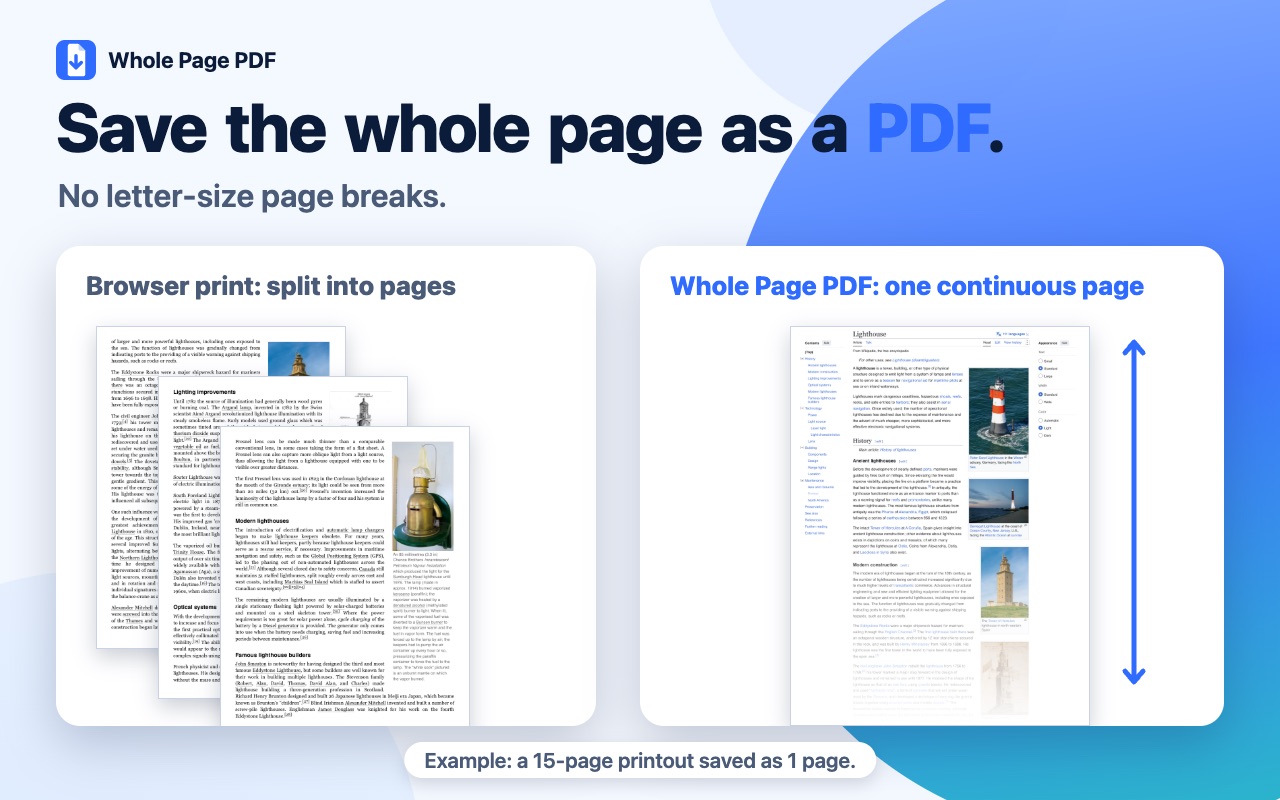
How it works
- Open a webpageGo to the page you want to keep.
- Click the toolbar buttonClick the Whole Page PDF button and wait for the badge.
- Get your PDFIt's saved to your Downloads folder, named after the page title.
Good to know
- Extremely tall pages are split into several tall pages, because some PDF viewers can't display pages that tall. Content may be cut between pages, and fixed headers or footers may repeat.
- Some page types are not supported yet. Browser-internal pages and the extension gallery cannot be saved, and organization-managed browsers may block the extension.
- Saving can take 30 seconds or more on very long pages.
- Chrome shows a "started debugging this browser" bar while saving. Pressing Cancel on it stops the save and nothing is downloaded.